
Features / Audio playback
Audio playback
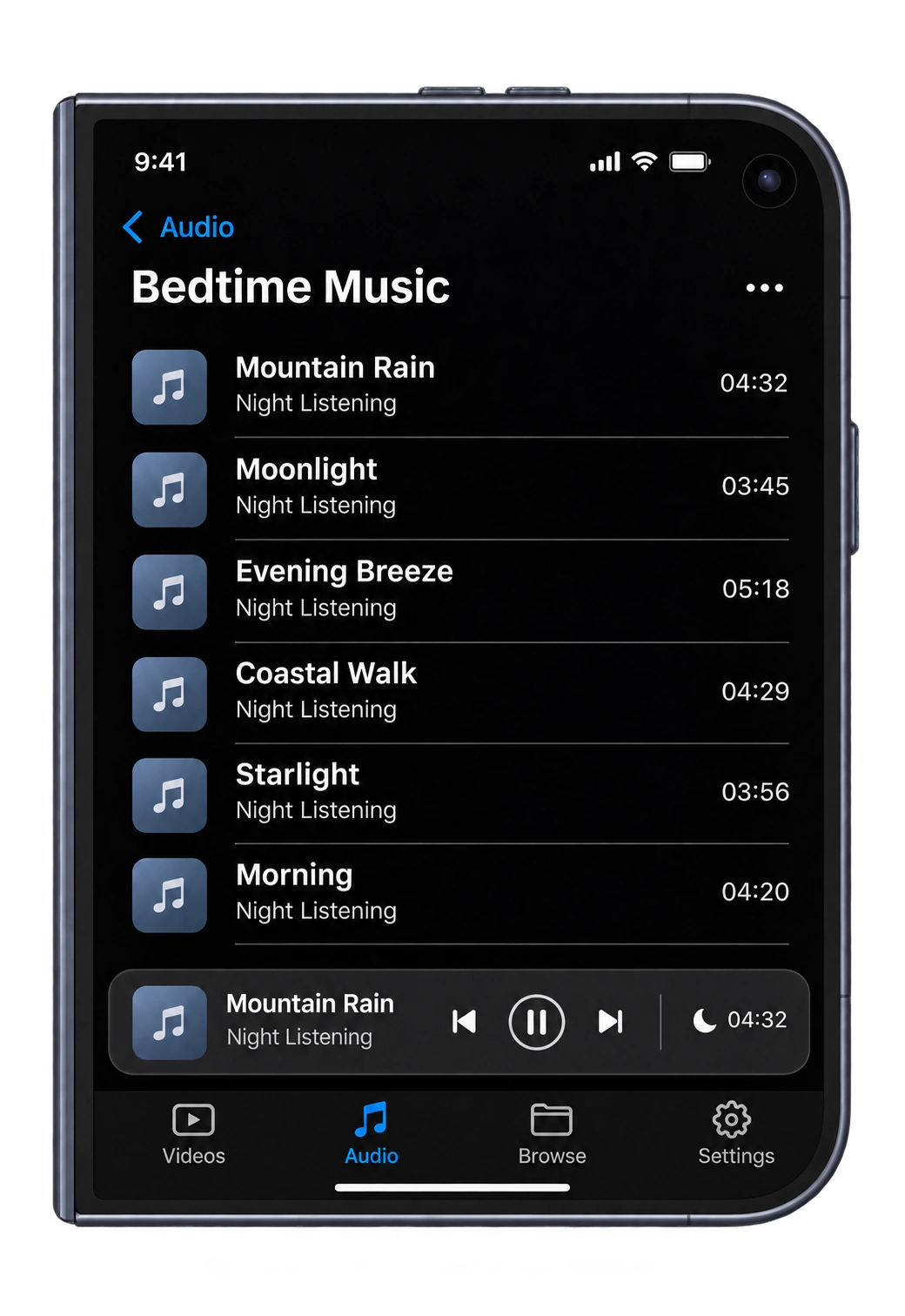
Listen to music, spoken stories and audiobooks stored locally or on a NAS. Manage playback with a queue, shuffle and repeat, and set a sleep timer when listening before bed.
iPhone · iPad · Duo inner and outer displays
Supported formats
Powered by VLC, Perfilm plays common lossy and lossless audio formats and many other audio files directly when compatible.
- Audio files
- MP3, MP2, MP1, MPA, AAC, ADT, ADTS, M4A, M4B, FLAC, ALAC, APE, WAV, W64, AIF, AIFC, AIFF, CAF, AU, OGG, OGA, Opus, WMA, MKA, MPC, WV, TAK, TTA, AC3, A52, DTS, AMR, AWB, 3GA, RA, OMA, SPX, VOC, QCP, VQF, XA, AMB, AOB, ADX
- Tracker modules
- 669, FAR, IT, MOD, MTM, S3M, XM
Compatibility depends on encoding profiles. Standalone CUE sheets cannot currently be imported as playlists; open the referenced APE, FLAC or other audio file directly.
Playback queue
Opening a track from a folder creates an audio queue in that folder’s current sort order, starting with the selected file. Local and network audio can share one queue.
Add and reorder
Add selected audio next or at the end of the queue. Remove tracks or drag them to change their order.
Shuffle and repeat
Shuffle, repeat one and repeat queue apply to the current audio queue.
Saved queue and progress
The queue, current track, progress and playback mode are saved. You can resume manually after reopening the app.
Separate audio and video queues
Playing video pauses audio. After leaving video playback, tap the audio bar to resume the original track.
Playback controls
Mini player
After closing the full player, use the bottom bar to pause, resume or skip tracks. Swipe up to open the queue.
Background and Lock Screen controls
Keep listening while using another app or after locking the screen. Control playback with system media controls or headphones.
Position and playback speed
Seek through the audio and choose a playback speed that suits the content.
Audio information
Show title, artist and album information from the file, or switch folder listings to file names.
Sleep timer
When listening to music, stories or audiobooks before bed, set a sleep timer to stop playback after the selected time. There is no need to operate the player again if you fall asleep.
Open Sleep Timer in the full audio player and choose a duration. You can also set it from the mini player; on narrow screens, use the “…” menu.
- Available durations
- 15, 30, 60 or 120 minutes
- Stop when time is up
- Playback stops at the selected time, including when shuffle or repeat is enabled.
- Finish the current track
- In the full player, you can also choose to stop after the current track, finishing that piece of music or chapter first.
Choosing another duration updates the timer. Turning the timer off cancels the countdown while audio keeps playing. Pausing or changing tracks does not restart it.
Download Perfilm
For iPhone and iPad