
Features / Video playback
Video playback
Play videos stored on your device or NAS, with broad format support, precise seeking, speed and aspect ratio controls, and resume playback.
iPhone · iPad · Duo inner and outer displays
Supported formats
Powered by VLC, Perfilm supports many video containers and codecs. Compatible files play directly without conversion.
- Video files
- MP4 / MP4V, MKV, MOV / QT, AVI / DivX, WebM, M4V, 3GP / 3G2 / 3GPP / 3GP2, MPEG / MPG / MPE / MPEG1 / MPEG2 / MPEG4 / MP2 / MP2V / MPV2, M1V / M2V, TS / TTS / M2T / M2TS / MTS, PS / VOB / VRO / EVO, FLV / F4V, ASF / WM / WMV, RM / RMVB, OGG / OGM / OGV / OGX, DV, MXF / GXF, DVR-MS / WTV, AMV, BIK, DAV, NSV, NUV
- Video codecs
- H.264 / AVC, H.265 / HEVC, AV1, VP8 / VP9, MPEG-1 / MPEG-2, MPEG-4 Part 2 (DivX / Xvid), H.261 / H.263, WMV / VC-1, Theora, MJPEG, ProRes, DV, RealVideo
- Audio tracks in videos
- AAC, MP3 / MP2 / MP1, FLAC, ALAC, Opus, Vorbis, PCM / LPCM, ADPCM, DTS, WMA, AMR, Speex; Dolby Digital (AC-3) and Dolby Digital Plus (E-AC-3) use iOS system decoding.
Compatibility depends on encoding profiles and device performance. The current version does not support TrueHD audio tracks.
Playback controls
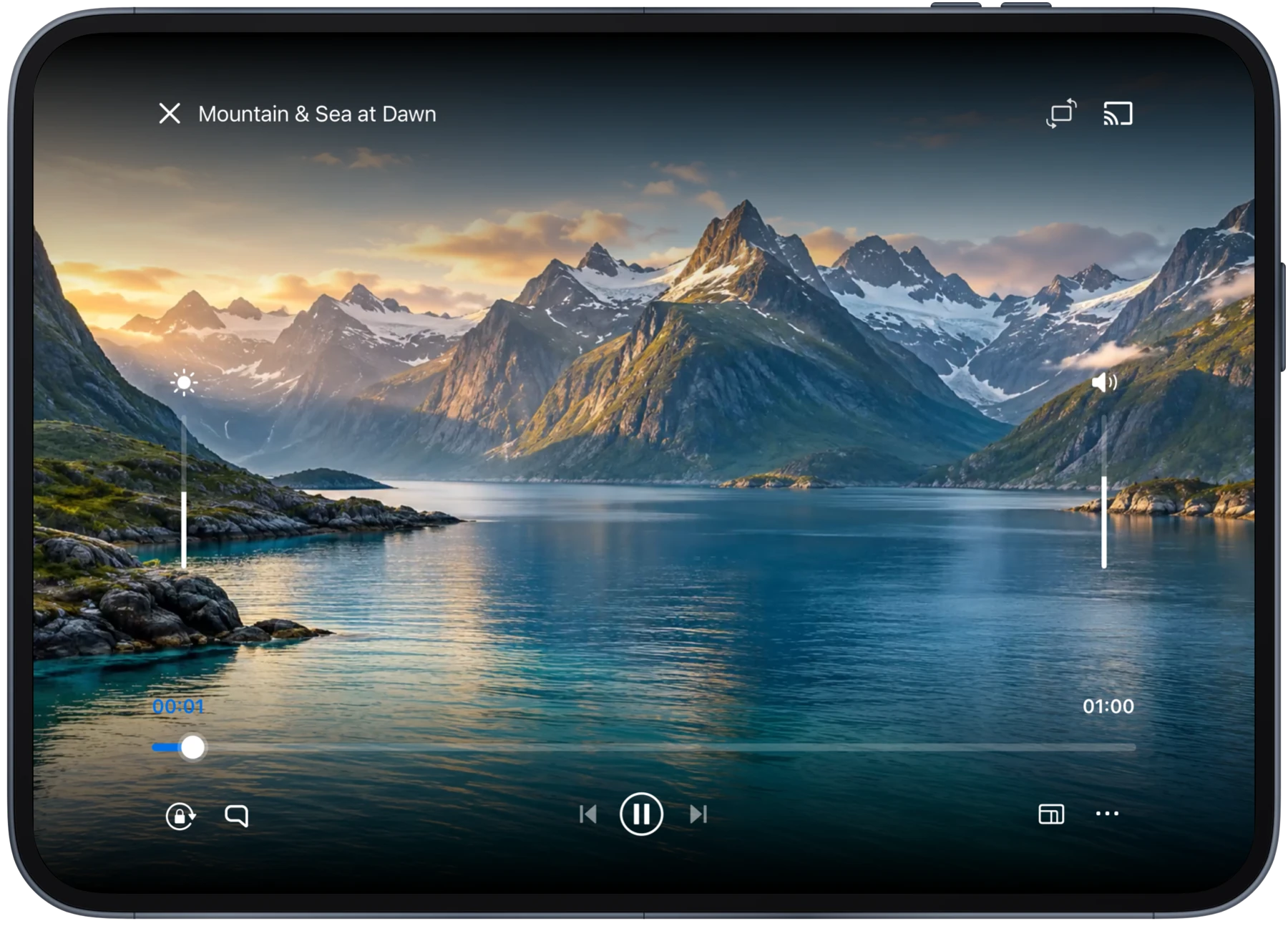
Use player controls and on-screen gestures to adjust position, speed, picture and sound.
Seeking
Tap the timeline to jump or drag the slider to change position, with fine scrubbing support.
Playback speed
Speed up or slow down video playback.
Aspect ratio
Keep the original aspect ratio, fill the screen or choose another ratio.
Brightness and volume
Adjust brightness and volume using gestures or player controls.
Audio tracks and subtitles
Switch embedded audio and subtitle tracks, import external subtitles and adjust subtitle timing.
A/B repeat
Set start and end points to repeat the segment between them.
Playback history and continuous playback
Video progress is saved. When you open a video again, resume where you left off or start from the beginning.
Videos in the same folder follow the current sort order, with previous, next and continuous playback. Closing the player returns you to that folder.
Display adaptation
Designed for iPhone, iPad and both Duo displays. The player adapts to orientation and screen size, with video reaching the edges and controls respecting safe areas.
Manual rotation and orientation lock are supported. Picture and controls adjust when you switch displays.
Download Perfilm
For iPhone and iPad